
Features
Built around Logcat signal.
Keynobi is a Mac app for Android developers who spend too much time digging through noisy logs. It puts live Logcat and filters first, then gives AI agents like Claude Code and Codex your real build, device, log, and UI context through MCP.
- Filter pills combined with AND / OR
- Age windows and “My App” in one click
- Process died / restarted markers in the stream
- Devices and emulators, one click to target
- MCP status for Claude Code and Codex
01 · Primary focus
Logcat: find the signal fast
The Logcat tab is the main reason to open Keynobi. It is built for the moment when the device is noisy, the repro is fresh, and you need the exact crash, package line, warning, JSON payload, or timeout without scanning a thousand unrelated rows.
Filters that map to real debugging
Android Studio Logcat
Android Studio shows the stream, then leaves you to combine text searches and mental context while the noise keeps moving.
Keynobi filters
Keynobi turns it into an investigation: package-aware filters, AND/OR groups, crash matching, negation, age windows, and saved searches in one place.
- Live streaming from the selected device
- Backend-side filters where possible before IPC
- Package dropdown for app-only logs or packages seen in the session
- Crash highlighting and grouped stack traces
- ANR badges and crash counter navigation
- JSON message badge with structured detail viewer
- Pause display updates without losing buffered data
- Jump to end, row selection, keyboard navigation, multi-row copy
- Filtered export to .log or .txt for sharing evidence
- Click a stack-trace line to open the file in Android Studio
- Bounded ring buffer with configurable size and visible line cap
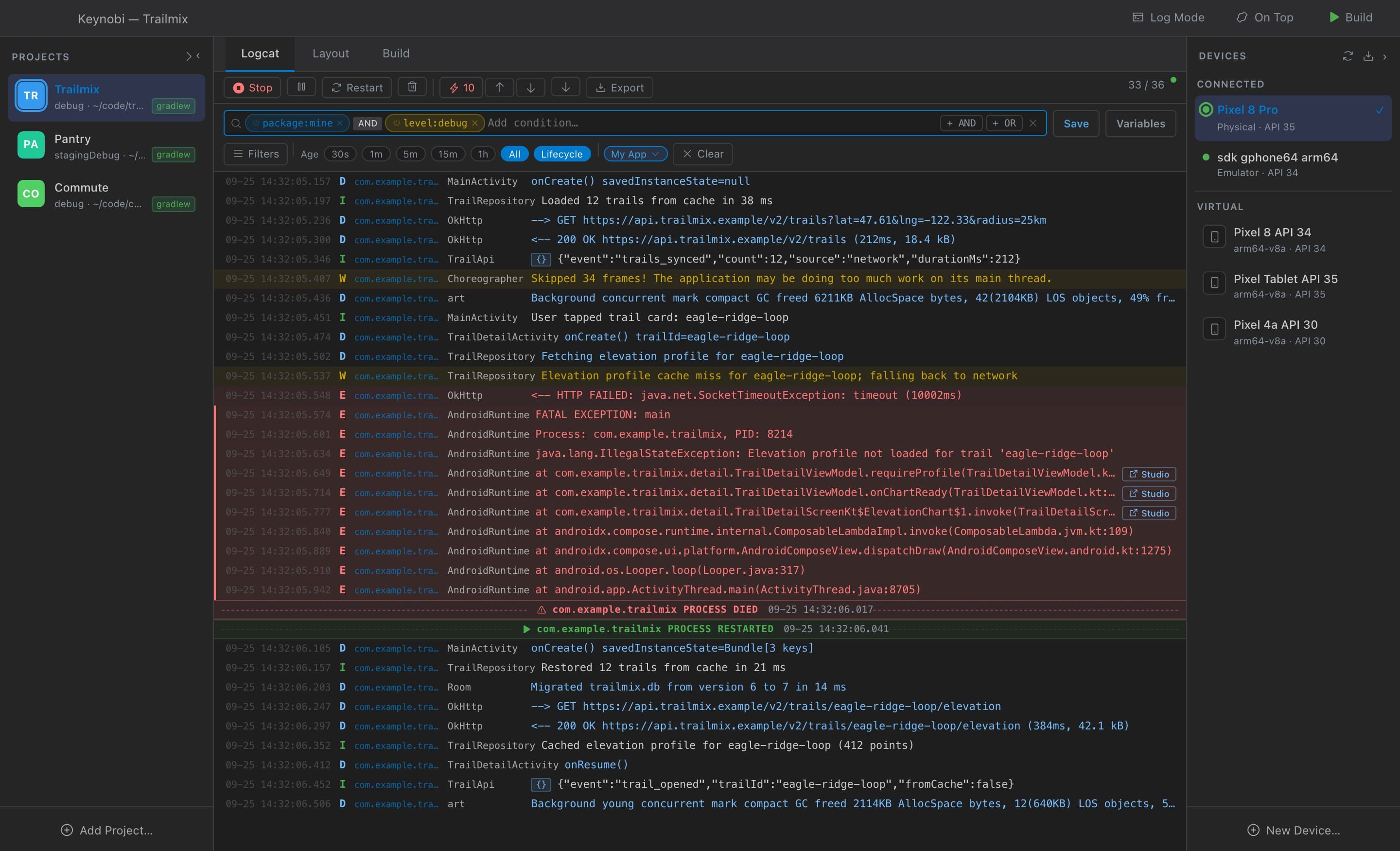
Saved filters are capped at 50 so the useful searches stay curated. Logcat keeps a bounded ring buffer and lets you tune ring size plus visible line limits under Settings.
02 · Agents
MCP: Android context for your AI agent
Keynobi includes a local stdio MCP server in the app binary. Claude Code, Codex, and other MCP clients can run builds, read logs and crashes, inspect devices and UI, drive guarded UI automation, and query project health from your real project and device. Your agent starts its own background Keynobi process, so the window doesn't need to be open. There is no Keynobi-hosted proxy.
| Area | What your agent can do | MCP tools |
|---|---|---|
| Build | Run Gradle, inspect live build state, pull structured errors, switch variants, find APKs, and run tests. |
|
| Logcat and crashes | Start streams, read filtered entries, pull crash logs and stack traces, clear buffers, and summarize log stats. |
|
| Devices and apps | List devices and AVDs, capture screenshots, inspect packages and memory, install, launch, stop, and restart apps. |
|
| UI hierarchy and automation | Read UI Automator trees, find elements, tap/type/swipe safely, wait/assert UI state, open links/settings, and change test conditions. |
|
| Project and health | Report the active project, how it was chosen, its trust state and JDK, and health checks for Java, SDK, ADB, and the Gradle wrapper. |
|
| Built-in prompts |
|
|---|---|
| Resources |
|
MCP validates external input before acting: Gradle tasks, package names, serials, APK paths, deep links, runtime permissions, UI keys, coordinates, and tree paths are checked. File access stays inside the effective project root or project build outputs.
03 · The whole loop
The rest of the loop
Builds
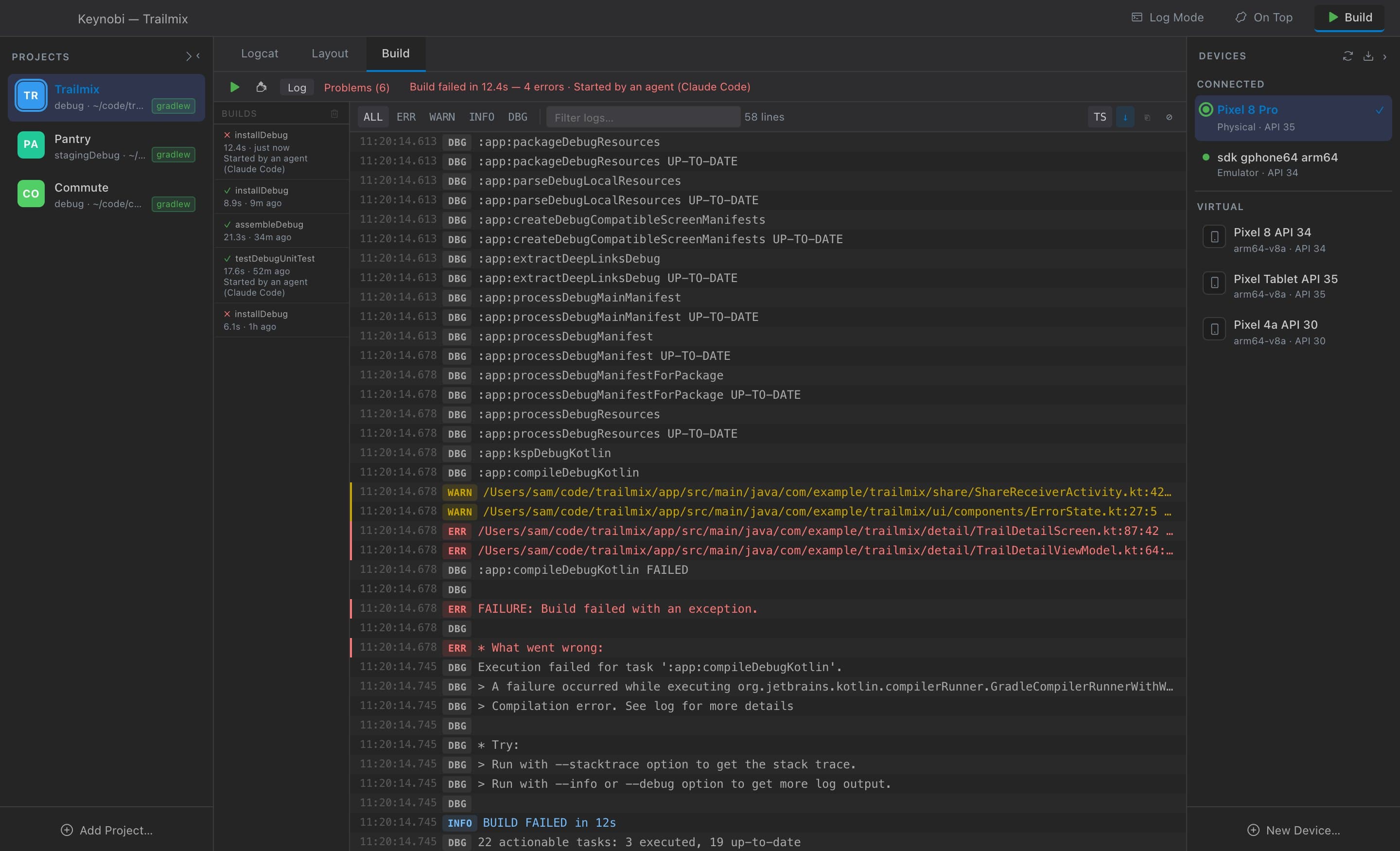
Stream Gradle output colored by level, jump to structured Problems (Kotlin, KSP, lint, R8, AAPT2), pick variants, run build-only or build → install → launch with Cmd+R, clean, cancel, and review recent builds in build history.
Projects
Keep a multi-project registry, detect Gradle roots, switch saved projects, and edit versionName/versionCode through Project App Info. New projects ask for trust first: Safe Mode opens a project without running any of its build code.
Layout
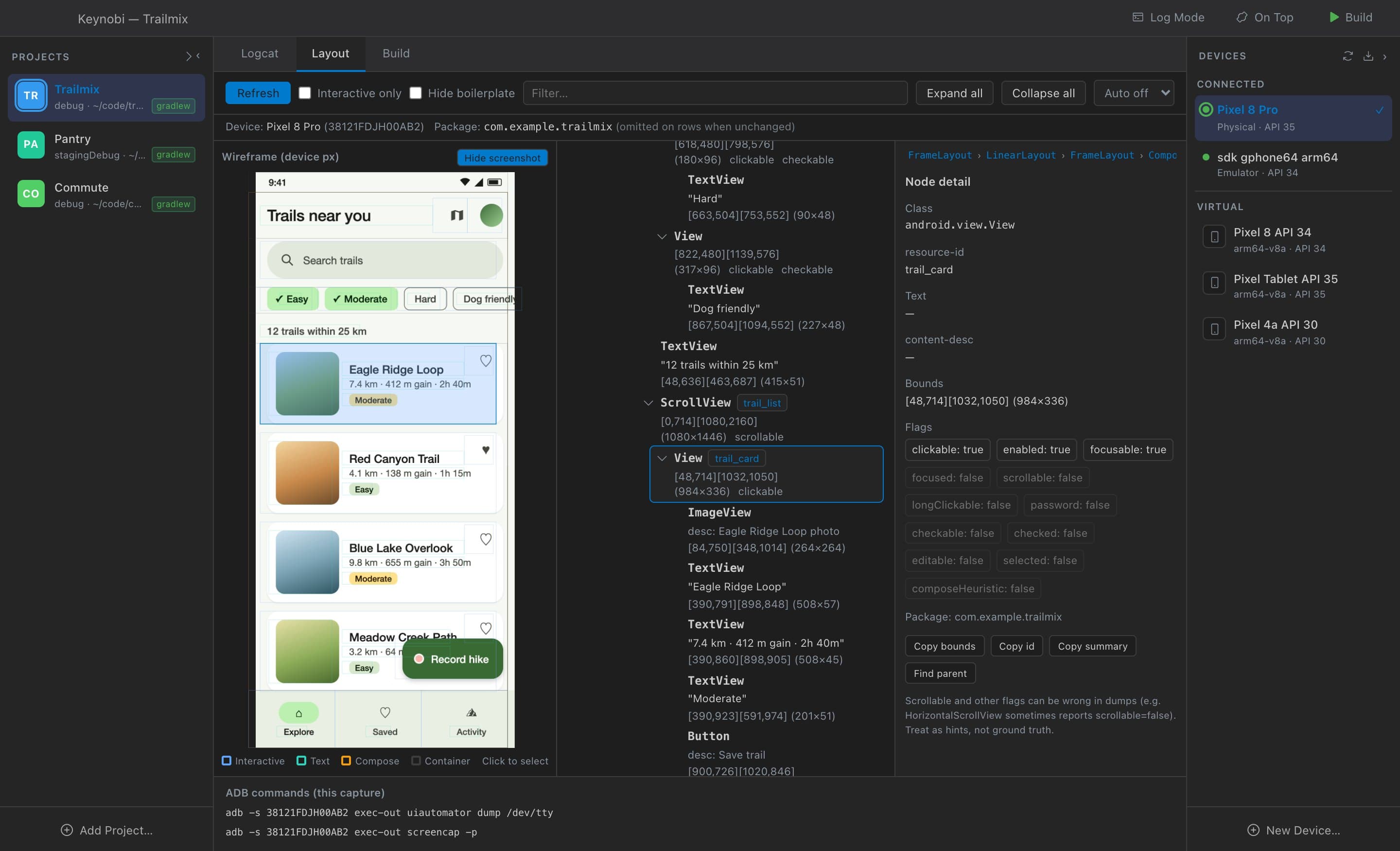
Capture a UI Automator accessibility snapshot, search class/resource-id/text/content-desc/package, hide boilerplate, inspect interactive nodes, hit-test the wireframe, and understand what automation sees.
Devices and AVDs
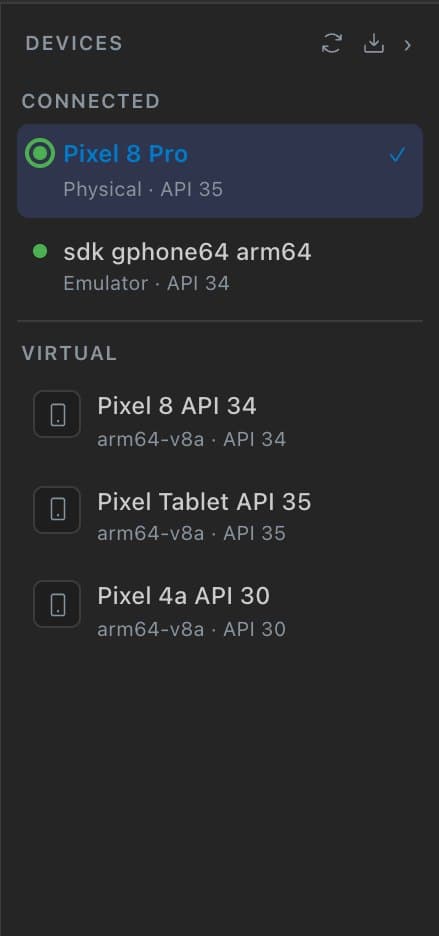
See physical devices and emulators, choose the active deploy target, create emulators (downloading system images when needed), launch, stop, wipe, or delete them, and keep device selection connected to install and launch.
Health, updates, and window controls
Health Center checks the Android SDK, ADB, emulator, Android Studio CLI, JDK, and app data directory. Get notified of new releases, focus the window on Logcat with Log Mode, keep it on top, and jump through actions with Cmd+Shift+P.

Find your next crash faster.
Free and open source for macOS 12+. Gradle projects in Kotlin or Java.
Apple Silicon · Intel Mac? Get the Intel build